Description
Plant Merge: Zombie War – Strategic Tower Defense
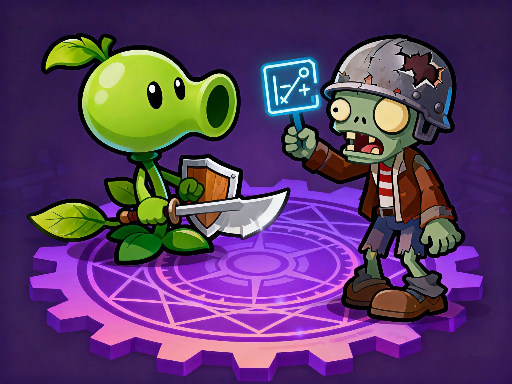
Plant Merge: Zombie War combines the lane based combat of classic defense games with a deep merge puzzle economy. Instead of simply placing units on the field, you manage a separate grid where you merge materials to upgrade your flora army. It introduces a complex role playing layer with character stats like Critical Rate and Defense, making it far more technical than a standard clicker. You aren't just surviving waves; you are building a deck of fighters to counter specific zombie threats.
Synergy and Collection
The game features a massive collection system with an Almanac of 93 unique plants to unlock. The real strategy lies in the "Bond" system. Grouping specific plants together (like the "Healthy Combo" or "Sweet Overload") grants global stat buffs to your entire team. Unlike the gritty gun focused action of World Z Defense, this game rewards maximizing these elemental synergies. It is a standout title in our Adventure category for players who love min maxing stats.
Key Features
- ???? Collect and upgrade over 90 unique plant characters.
- ⚗️ Master the "Bond" system to activate powerful team wide buffs.
- ???? Use the Gacha system to summon high tier units with Gems.
- ????♂️ Challenge high HP Bosses in dedicated "Fight Boss" stages.
- ⚔️ Merge raw materials in your inventory to level up your plants mid battle.
Common Questions
Q: Is Plant Merge: Zombie War mobile friendly?
A: Yes, the game is built for vertical mobile play, allowing you to drag and merge items with one hand.
Q: How do I unlock better plants?
A: You can use the "Gacha" machine using Gems to draw new units, ranging from Common to Legend rarity.
Q: Does the game save my collection?
A: Yes, your Almanac progress, unlocked plants, and stage progression are saved automatically.
Instructions
How to Play Plant Merge: Zombie War
Your goal is to stop zombies from crossing the screen by deploying plants. You upgrade plants by merging materials in your inventory grid.
PC Controls
- Merge Items: Click and hold the Left Mouse Button to drag identical items together.
- Deploy Plant: Drag a unit from your inventory slot onto the battlefield lanes.
- Interact: Click menus and buttons to upgrade or summon units.
Mobile & Tablet Controls
- Merge & Deploy: Tap and drag items with your finger to merge them or place them on the field.
- Menus: Tap to open the Shop, Almanac, or Gacha screens.
Tips and Tricks
- Check Your Bonds: Before you deploy a random team, check the "Bond" tab. Using a full set of related plants (like the Fruit set) gives you a massive damage boost.
- Don't Clutter the Grid: Your merge grid has limited space. Try to focus on merging one type of material at a time so you don't get gridlocked.
- Save Gems for 10 Pulls: While single pulls are tempting, saving your purple Gems for larger Gacha pulls often yields better rarity rates for Legend plants.








Comments