Description
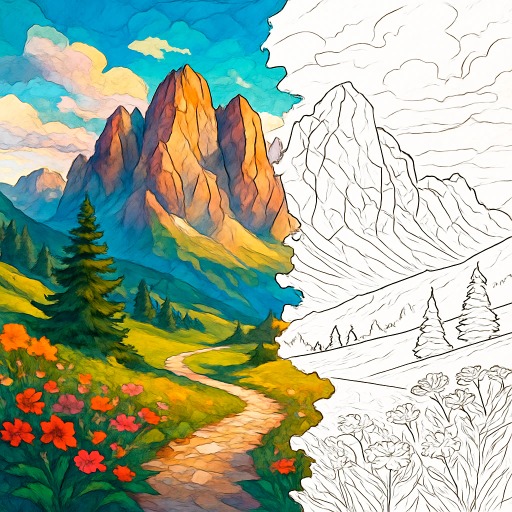
Love Colors offers a sophisticated digital coloring experience that focuses on precision and variety. Unlike simple fill buckets found in generic painting apps, this game provides professional grade tools to ensure your artwork looks clean. You select from 6 distinct categories: Basic, Florals, Animals, Famous, Gardens, and Fashion. The interface is designed for detail work, featuring a robust top menu with dedicated Zoom In/Out, Undo, and Redo buttons. This allows you to correct mistakes instantly without ruining the entire piece.
Palette and Customization
The coloring system is organized into curated palettes like "Dark Oranges," "Skin Colors," and "Goldens". A standout feature is the smart color selection: you can click on an already colored area to quickly switch back to that specific shade without searching through the menu. If you prefer structured color by number pixel challenges, this game offers more freedom to choose your own style. It is an essential tool for players browsing our stress free digital art games section.
Key Features
- ???? Explore 6 unique image categories including Famous Art and Fashion.
- ???? Use professional tools like Zoom, Undo, and Redo for precision work.
- ???? Download your finished masterpiece directly to your device.
- ????️ Access themed color palettes like Reds, Pinks, and Earth Tones.
- ???? Control the canvas with intuitive pinch-to-zoom gestures on mobile.
Common Questions
Q: Is Love Colors mobile friendly?
A: Yes, the game supports multi-touch gestures, allowing you to use two fingers to zoom in and out of the canvas.
Q: Can I save my artwork?
A: Yes, there is a dedicated "Download" button (down arrow icon) on the left side of the palette bar to save your image.
Q: How do I fix a mistake?
A: You can click the "Undo" arrow in the top menu to reverse your last action, or use the "Redo" button if you change your mind.
Instructions
How to Play Love Colors
Your goal is to color detailed line art using a variety of palettes. You can zoom in for small details and download your final image.
PC Controls
- Select Color: Click on any color circle in the bottom palette.
- Paint: Click on an empty white space in the drawing to fill it.
- Zoom/Nav: Use the buttons in the top menu or click and drag to move the canvas.
Mobile & Tablet Controls
- Paint: Tap to fill an area with the selected color.
- Zoom: Use a two-finger pinch gesture to zoom in or out.
- Quick Select: Tap on a color already on the canvas to switch to that color instantly.
Tips and Tricks
- Use the Quick Select: Instead of scrolling through palettes to find that specific shade of blue you used five minutes ago, just tap the blue part of the drawing to re-select it.
- Zoom for Borders: The "Florals" and "Gardens" categories have tiny details. Always zoom in before tapping to ensure you don't accidentally fill the wrong section.
- Don't Fear Mistakes: The Undo button is unlimited. Feel free to experiment with bold background colors since you can instantly revert them.











Comments