Description
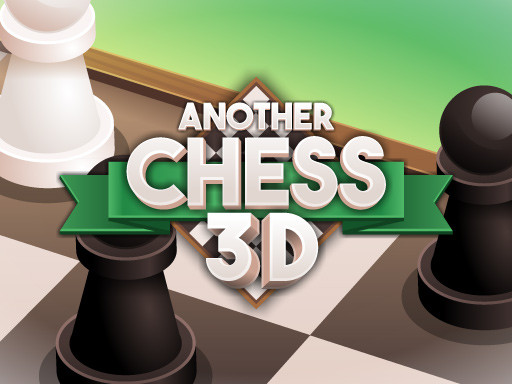
Another Chess 3D puts a classic wooden chessboard right on your screen with smooth perspective angles and clear move indicators. You can play solo against three computer difficulties or share the mouse with a friend in pass-and-play mode. There are no registration screens, timers forcing your moves, or software downloads.
How the 3D Board and Matches Work
Each match follows standard international chess rules on an 8x8 grid. When you select a piece, green dots light up on every legal square you can step onto, while red indicators highlight capture opportunities. This visual assistance makes it easy to calculate trades and avoids illegal move mistakes.
The AI difficulty settings offer distinct tactical styles. Easy mode lets newcomers practice basic piece development, occasionally missing loose pieces. Medium mode plays solid positional moves, contests the center, and punishes exposed kings. Hard mode calculates deep combinations, defends against early Queen attacks, and forces you to think three moves ahead before committing a piece.
Match Rules and Special Moves
All standard chess mechanics are active in this browser version. You can castle kingside or queenside as long as your King and target Rook have not moved and the path is clear of checks. Pawn promotion prompts an overlay to pick a Queen, Rook, Bishop, or Knight the moment your pawn reaches the eighth rank. Checkmate ends the match immediately, while stalemate or insufficient material declares a draw.
Local Two-Player and Solo Practice
If you want to play against a friend in the same room, select 2-Player mode. The board stays steady while players take alternating turns clicking moves. It works equally well for analyzing classic openings with a training partner or playing casual matches over lunch. If you enjoy head-to-head tabletop battles, you can also test your strategy in Tic Tac Toe Master or explore more classic tabletop duels in the Board Games collection.
Frequently Asked Questions
Q: Can two people play Another Chess 3D on the same device?
A: Yes. Choose the 2-Player option from the main menu to take turns using the same mouse on a computer or tapping the screen on mobile.
Q: What do the colored tile highlights mean?
A: Green circles show valid squares where your selected piece can move safely. Red markers indicate opposing pieces that you can capture on that turn.
Q: Does the game support castling and pawn promotion?
A: Yes. When castling conditions are met, moving the King two squares toward the Rook executes the move. Pawns reaching the opposite end open a selection menu to promote to a Queen, Rook, Bishop, or Knight.
Instructions
Select any piece with Left Click or Tap to view its available legal moves. Click on any green-highlighted tile to move your piece to that position, or click a red-highlighted tile to capture an enemy piece. In 2-Player mode, take turns on the same device after each completed move.






Comments