Description
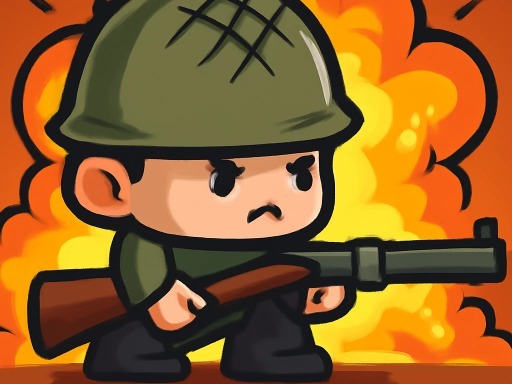
Drop into a massive map and prepare for a fight to the finish! Battle Zone 2D is a high energy top down shooter where survival is the only goal. You start with nothing and must quickly search buildings to scavenge for weapons, ammo, and armor.
Use strategy and cover to outsmart your enemies in dynamic firefights. It offers the same intense survival thrill as Hazmob FPS but with a classic arcade view. You will need quick reflexes to dodge attacks and precise aim to take down your rivals.
This is one of the most addictive ways to play action games online. With simple controls and intense matches, every round is a fresh test of skill. Unlock cool skins to customize your character, load up your inventory, and prove you are the best fighter. Drop into the arena and fight for victory now!
Gameplay Highlights
- ???? Playable on PC, Mobile, and Tablet (Best experience on PC).
- ???? Fight for survival in an intense 2D battle royale mode.
- ???? Scavenge a wide variety of weapons, from assault rifles to shotguns.
- ????️ Equip armor and use medkits to stay in the fight longer.
- ???? Unlock unique skins to customize your character's look.
- ????️ Explore a vast map filled with loot and hiding spots.
FAQ
Q: What devices can I play Battle Zone 2D on?
A: Battle Zone 2D is an instant play browser game that works on all devices, but playing on a PC gives you the best advantage.
Q: How do I aim and shoot?
A: You use your mouse to aim your crosshair. Simply click the Left Mouse Button to fire your weapon at the target.
Q: What is the goal of the game?
A: Your goal is to eliminate all other players and be the last survivor remaining on the map.
Q: Can I heal myself?
A: Yes, you can find and use items like medkits by pressing the E or F keys to restore your health during battle.
Instructions
How to Play Battle Zone 2D
Your goal is to be the last player alive. Land on the map, find weapons immediately, and eliminate your opponents while staying inside the safe zone.
PC Controls
- Move: Press W, A, S, D or Arrow Keys.
- Aim: Move your Mouse to control the crosshair.
- Shoot: Click the Left Mouse Button.
- Switch Weapon: Press 1, 2, 3 or scroll the Mouse Wheel.
- Interact / Use Item: Press E or F.
Mobile & Tablet Controls
- Move: Use the virtual joystick on the left side of the screen.
- Aim & Shoot: Drag and tap the fire button on the right side.
- Interact: Tap the action buttons on the screen to pick up loot or use items.
Tips and Tricks
- Don't run out in the open! Move from cover to cover to avoid getting sniped.
- Listen for footsteps or gunfire to locate nearby enemies.
- Manage your ammo carefully and switch to your secondary weapon if you run dry.
- Always look for armor vests; they can save your life in a close duel.







Comments